Delivered · commercial piece
Linen calculator
A fragile spreadsheet turned into a dependable, can't-break tool — built fast, hardened for real use.
- 1
- HTML file — the whole app
- 0
- dependencies or build step
- Offline
- no server, no internet
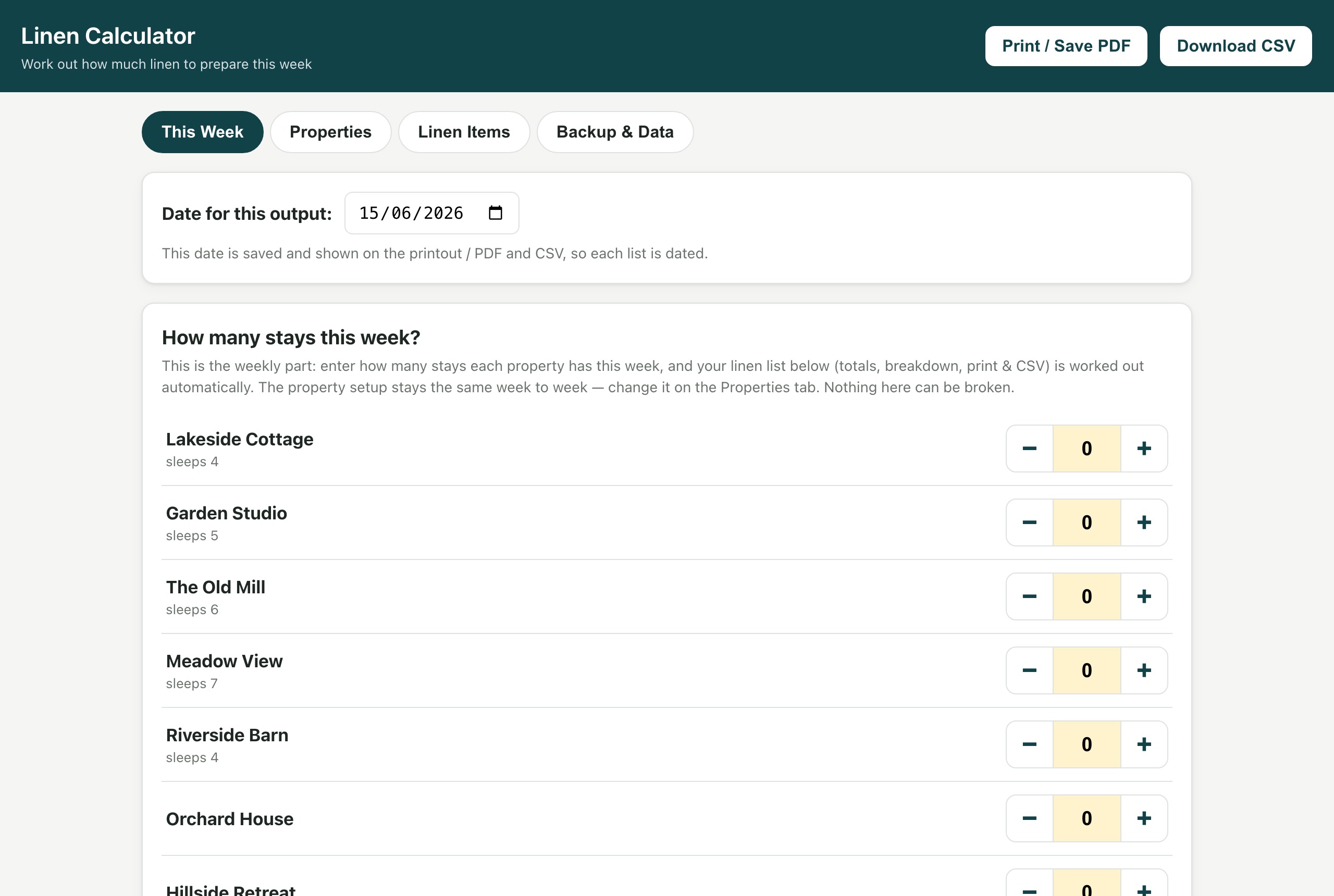
A holiday-let business ran their weekly linen prep from an Excel spreadsheet — work out how many sheets, towels and covers to send to the laundry, across a set of properties, every week. Spreadsheets like this are quietly fragile: one wrong formula or a deleted cell produces wrong numbers that nobody notices until the wrong linen turns up.
I rebuilt it as a small, self-contained web app. The value here isn't the difficulty — it's the finish: taking a real, messy, breakable process and turning it into something dependable that a non-technical person can use without fear.
What it is
A single HTML file. Double-click it and it opens in any browser — no install, no accounts, no internet, no server. It reproduces the spreadsheet's exact maths, wraps it in a friendly interface, and removes the ways a spreadsheet can go wrong. It can be emailed, copied to a USB stick, or opened on any computer or tablet.
The decisions that matter
- The maths is fixed in code, not in editable cells. Totals are computed and shown read-only (per-stay quantity × number of stays, summed across properties). There's no on-screen formula to accidentally break — the single biggest failure mode of the original spreadsheet, designed out.
- It can't lose your work, and it can't trap it either. Everything saves automatically in the browser; a one-click backup file is a complete, portable snapshot; and a "master copy" can bake the current setup back into a fresh copy of the app to move it to another machine.
- A clean week, every time. Each launch resets to today with all counts at zero, so last week's numbers can never be reused by accident — while the per-property setup is preserved.
- Hardened where it counts. CSV exports are protected against spreadsheet formula injection; data baked into a saved copy is escaped so a stray character can't break the file; restored backups are structurally validated before they're trusted. Small tool, real safety.
- Accessible by default. Keyboard-navigable, focus-trapped dialogs, proper tab semantics — the kind of finish most tools this small skip.
- Built to grow if it ever needs to. The code is split into calculation, storage and interface layers, so the logic could move into a larger app with a real database later without rewriting the maths.
How it was built
Built quickly in Claude Code, then independently code-reviewed using Codex, with the review findings fed back in as targeted refinements — the formula-injection guard, the safe-embedding escape, the stricter backup validation and the accessibility pass all came out of that loop. The aim was production-grade robustness on what is, on the surface, a very simple tool.
The honest take
Technically, it's simple — around 1,300 lines of plain vanilla JavaScript, no framework, no backend, no build step. That's deliberate: simplicity is what makes it dependable, portable and maintenance-free. The real work was judgement and iteration — the many small product decisions (reset-the-week-on-open, the master-copy workflow, the plain-English wording) are what make it feel finished and safe in non-technical hands. A fragile spreadsheet, replaced with a tool that can't break — built fast, and finished properly.